Build up your image.
Use layers to organize your work. Make selections, paint, and apply adjustments and effects as you shape the result.
Layered image editing for Windows
From your first edit to the final export. Work with layers, selections and effects, then save the settings for the image sizes you use again and again.
Available on Microsoft Store · Windows 10 and 11
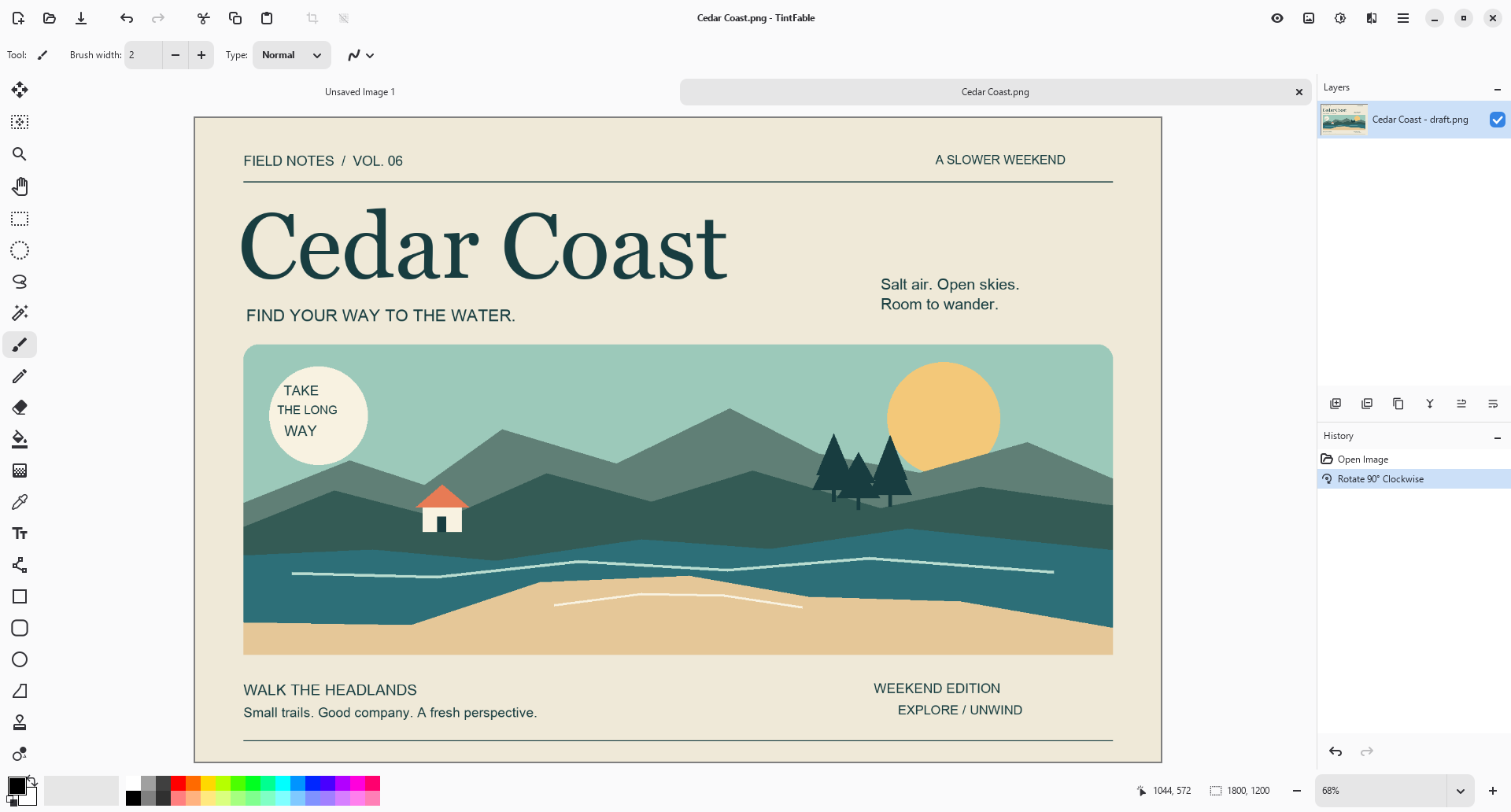
Use layers to organize your work. Make selections, paint, and apply adjustments and effects as you shape the result.
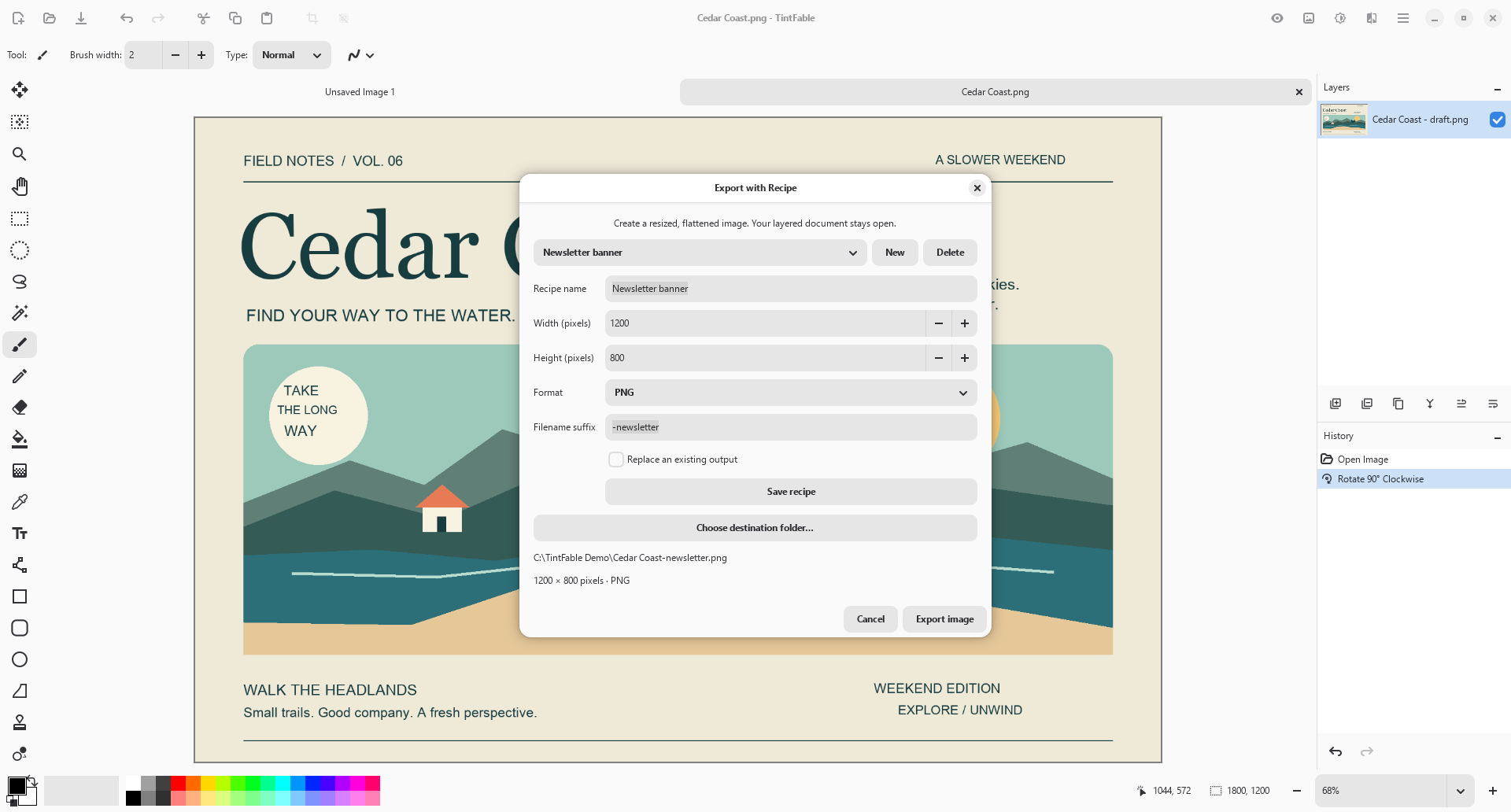
Give your export settings a name. Save dimensions, format and a filename suffix in a recipe you can reopen for your next image.
Recipe exports render an output image while your working document remains open. Save the editable document separately when you want to keep its layers.
A familiar size, ready to reuse
A thumbnail, a project preview, or another size you use often: save a named recipe and return to the same settings without entering them all again.
From canvas to finished file
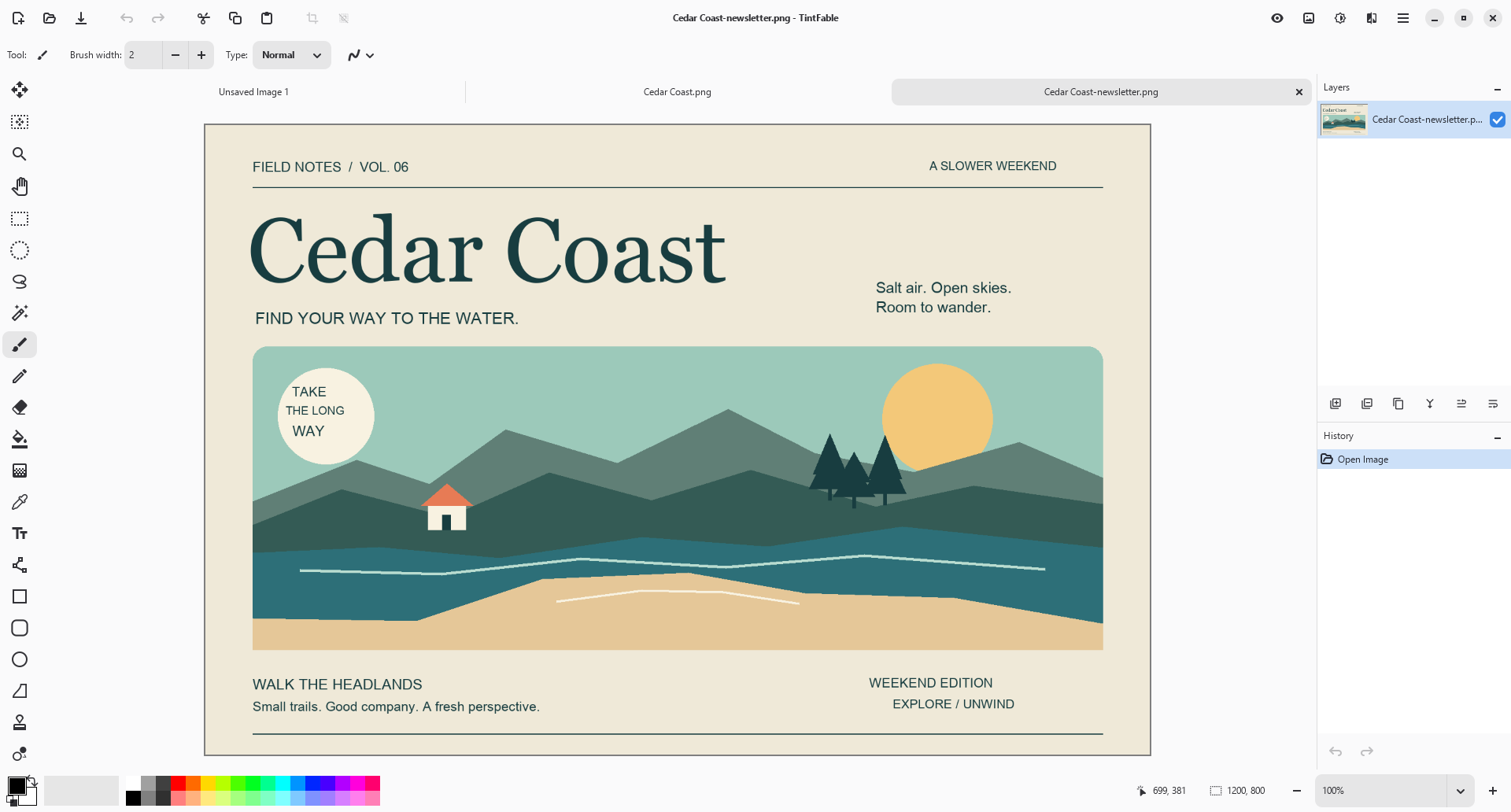
Open your image, make your edits, and use an export recipe to prepare the output. Your images and recipe settings stay on your computer.
Work with the editor’s layers, selections and effects. Save your working document when you want to continue later.
Reuse saved dimensions, output format and suffix, or create a recipe for a new destination size.
Choose the destination folder and inspect the planned filename. Decide explicitly whether an existing output may be replaced.
One-time purchase
A desktop image editor with reusable export settings and no subscription.
US launch price · Pay once, no subscription.
Microsoft Store displays local prices and applicable taxes.
Before you open the canvas
A named recipe stores output dimensions, format, filename suffix and supported quality settings. Reopen it when you need the same output settings again.
Recipe export creates a rendered output copy. It does not save your editable working document for you. Save that document separately in a layered format when you need to retain its layers.
Review the destination and planned output path. Replacement is a separate choice; check it carefully before allowing an existing output to be overwritten.
No account or cloud upload is needed for image editing and recipe export. Images stay in the locations you choose, and recipes are saved in local app settings. Read the privacy policy.
Paint.NET plug-in compatibility is not included. TintFable is an independent application based on Pinta. Contact support with questions about an image format or export recipe.
TintFable is an independent Trieflow LLC product based on Pinta open-source software. Source code, build information and original license notices are available without charge.